Every product, made theirs.
Add text, image uploads, color swatches and box options to any product. Customers personalize it right on the product page — no code, no other plugin needed.
- Text
- Image
- Color
- Box
- Combinations
- Element Sets
- Shop swatches
- Mobile panels
Personalize from the shop, and on any phone
The biggest update since launch. Both new features are off by default — turn them on in PersoNailit → Global Settings.
Shop listing swatches New
Every product card in the shop previews its options over the image. Pick one and the card's image, price and links follow — the product opens with the choices already made.
Shop panel on phones New
A small chip on each card opens a panel with every option, the product lit and zoomed above it, and a direct "Add to cart".
Mobile product panel New
On the product page, the personalization box docks at the bottom of the screen while customers look at the photos — minimizable, with the price and an "Add to cart" button.
Links with choices
Share a link that opens a product with options already selected — great for campaigns ("this mug, in red").
Priced text
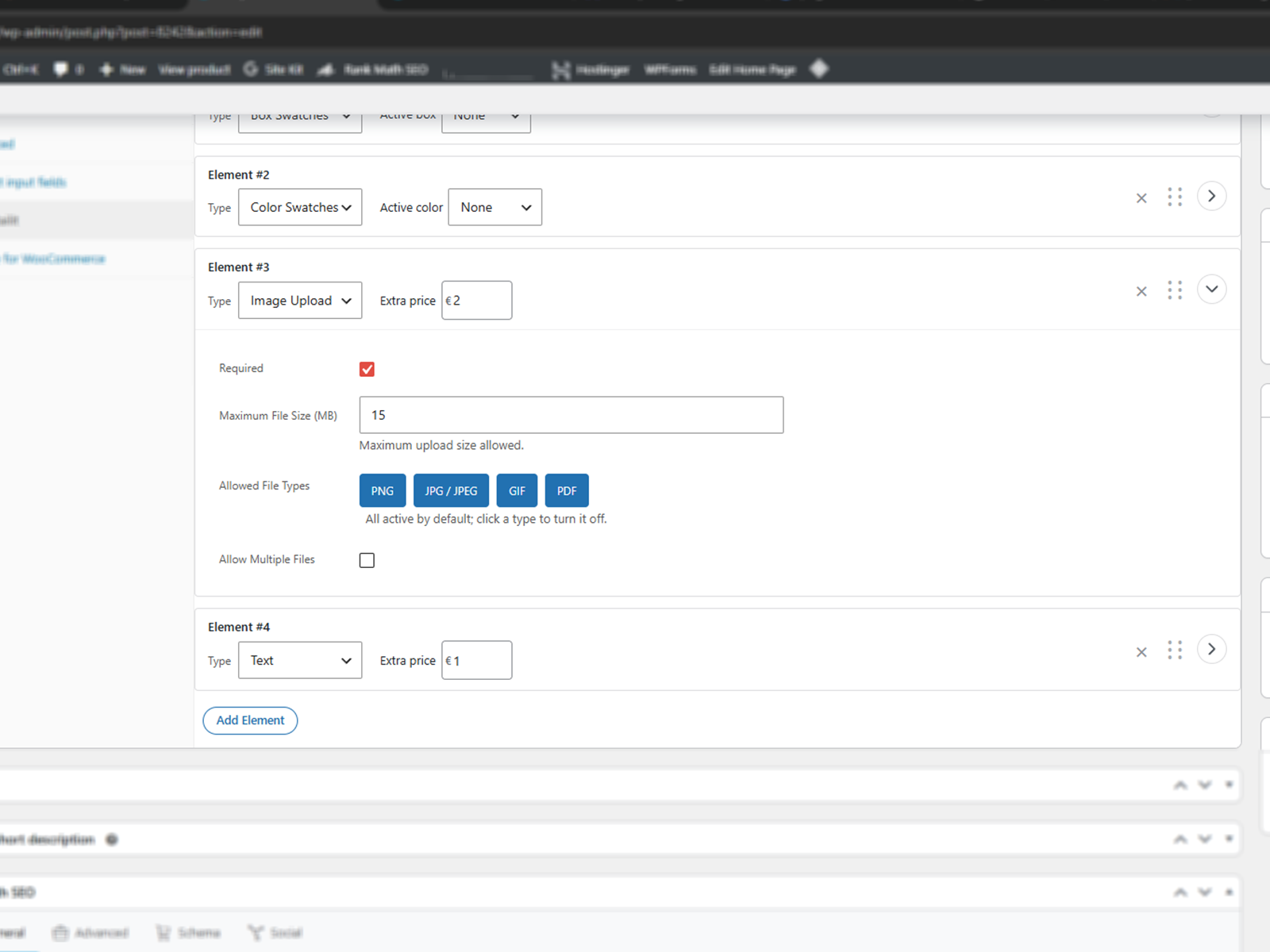
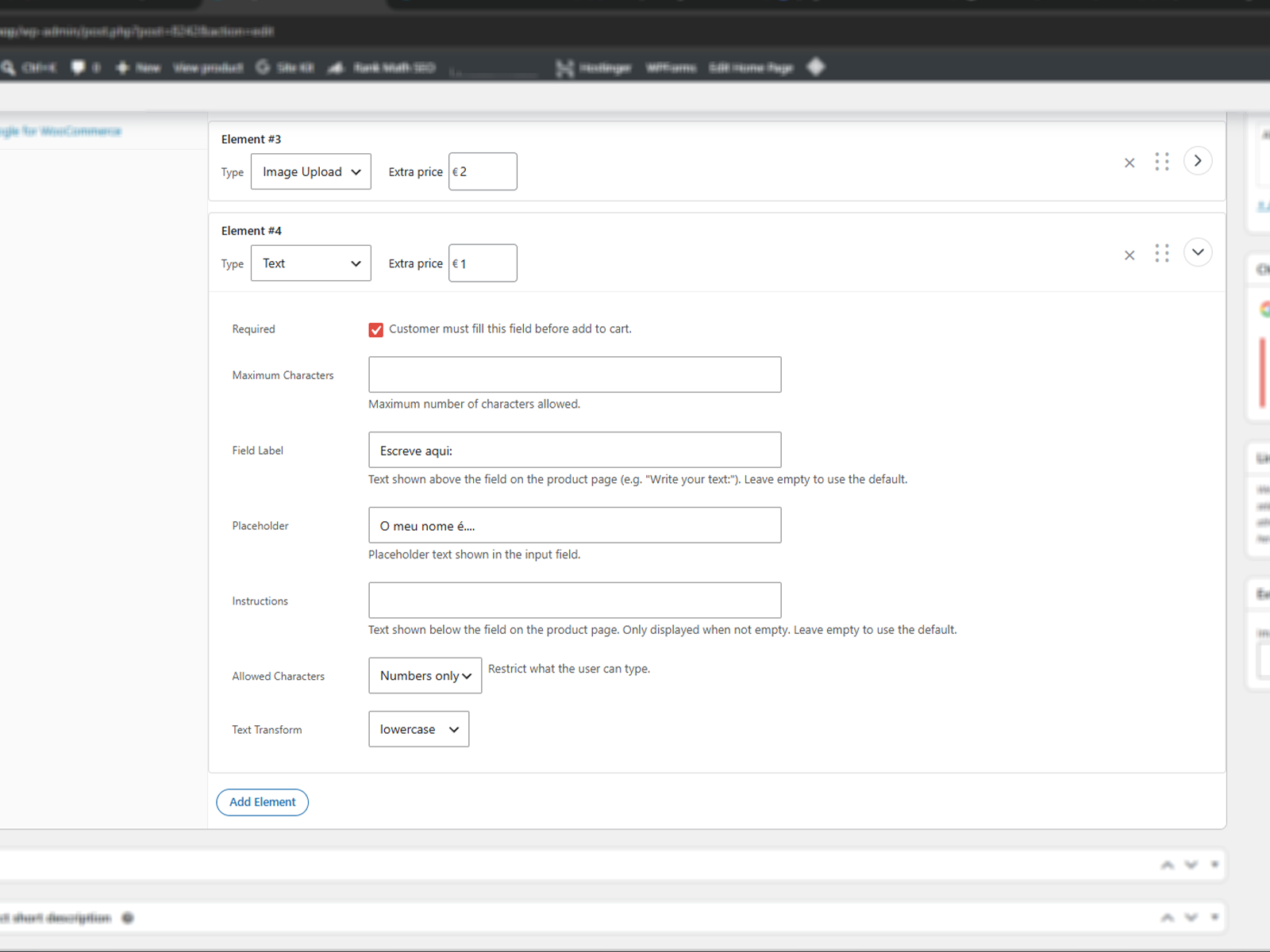
The Text element can now add an extra price — charge for engravings and custom names.
Tidier cart
Personalization details fold into a neat "PersoNailit" toggle in the cart and mini-cart, styled from Global Settings.
Plus: works with page caching, sizes itself to your product grid, keeps your theme's colors out of the swatches, and adds hooks for developers. Full changelog on WordPress.org →
(vertical, 9:16)
Built for the phone in your customer's hand
Most shoppers buy from their phone. PersoNailit 1.1 lets them choose, personalize and add to cart without ever losing sight of the product.
- Choose from the shopA tap on the card's chip opens every option, with the product right above it.
- Add straight to the cartOne tap, a green tick, and they keep browsing.
- Personalize on the product pageThe options stay docked at the bottom while they look at the photos.
What your customers see. What you configure.
The storefront on computers and phones, and the screens you set it up with.
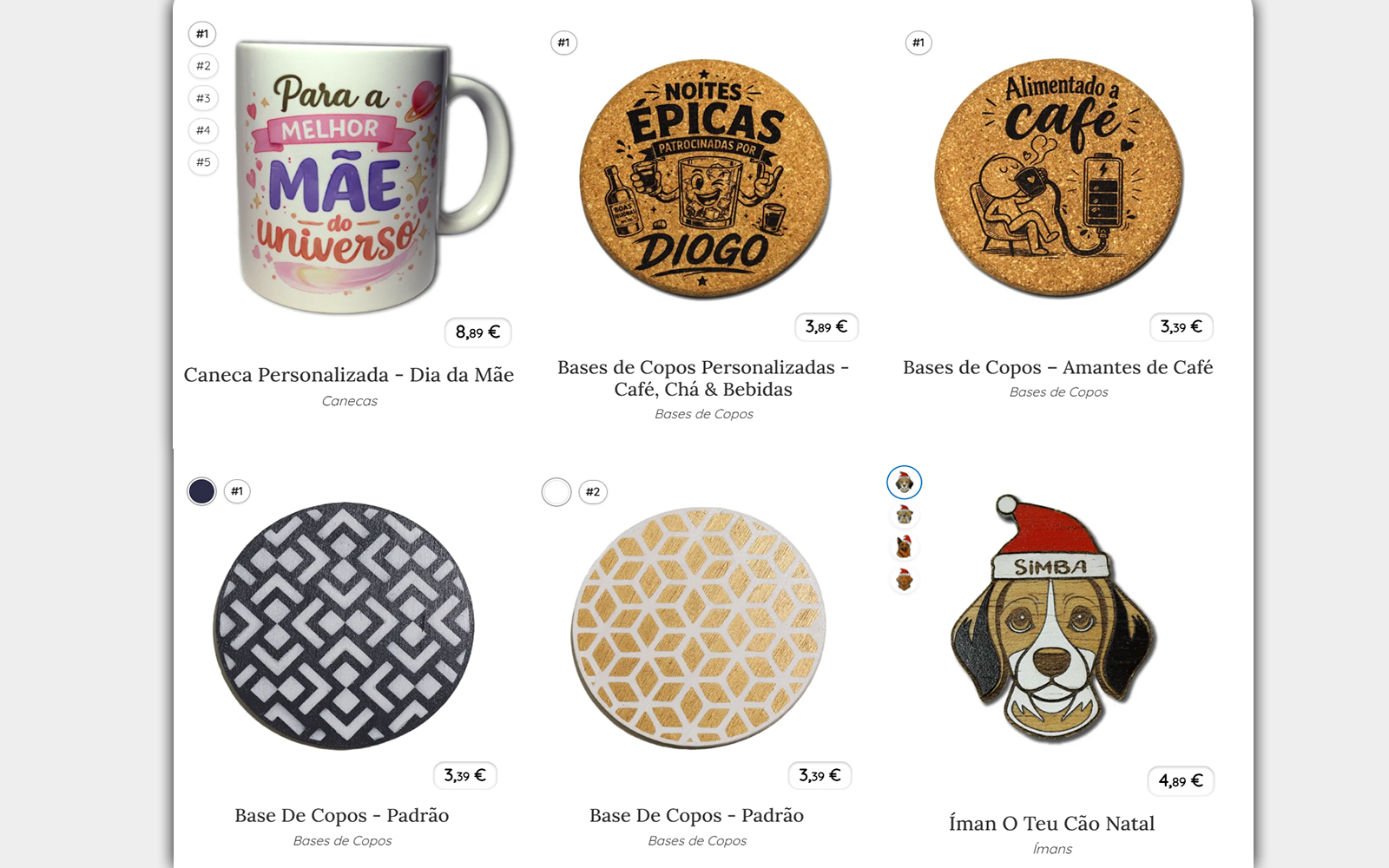
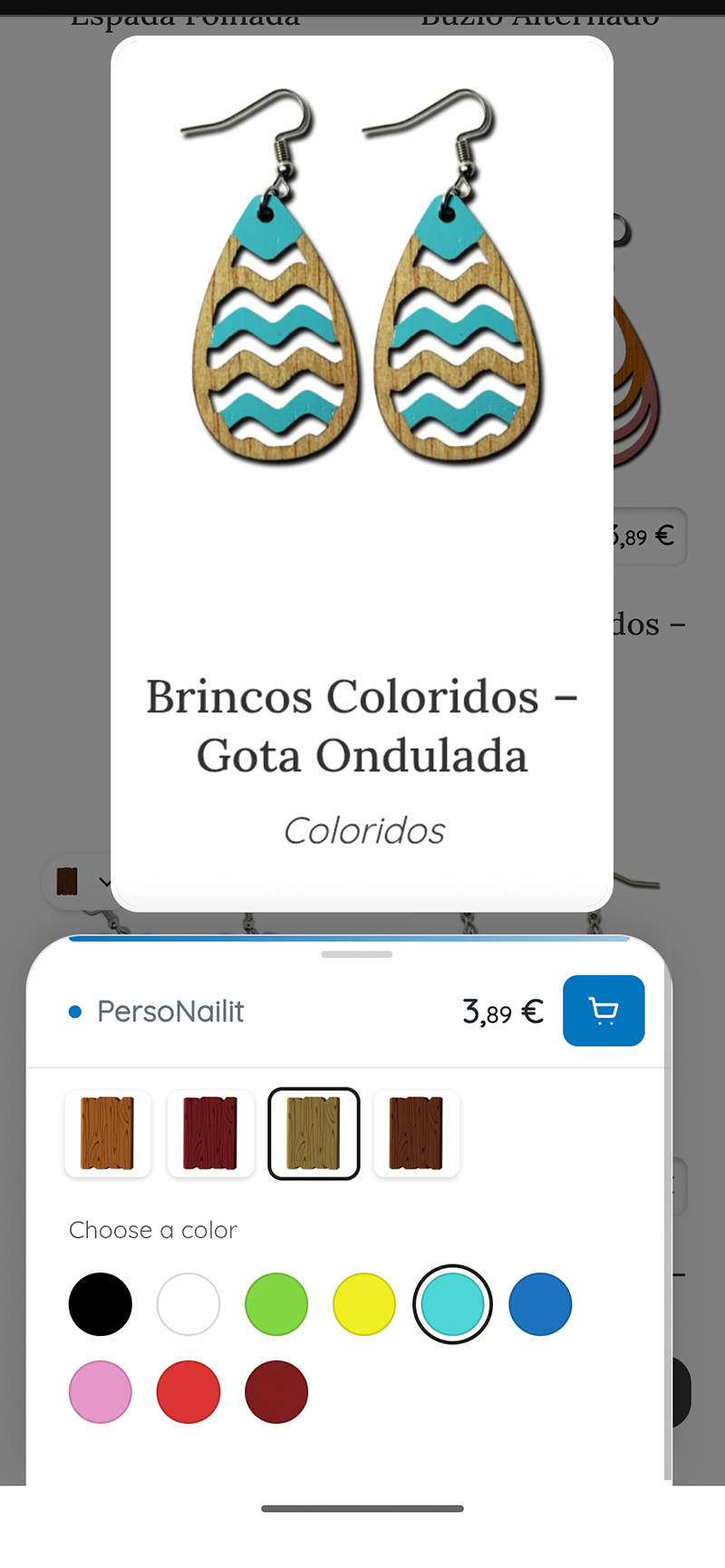
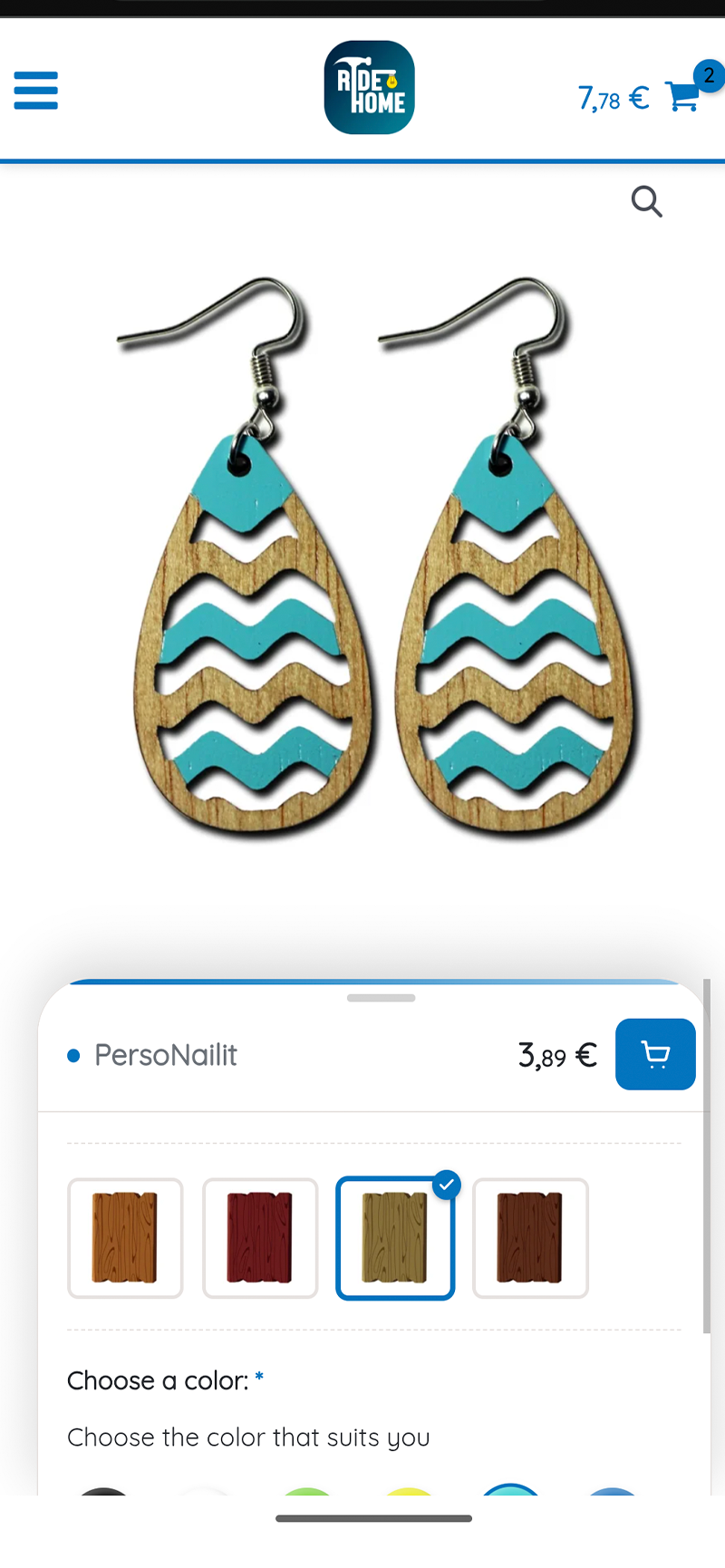
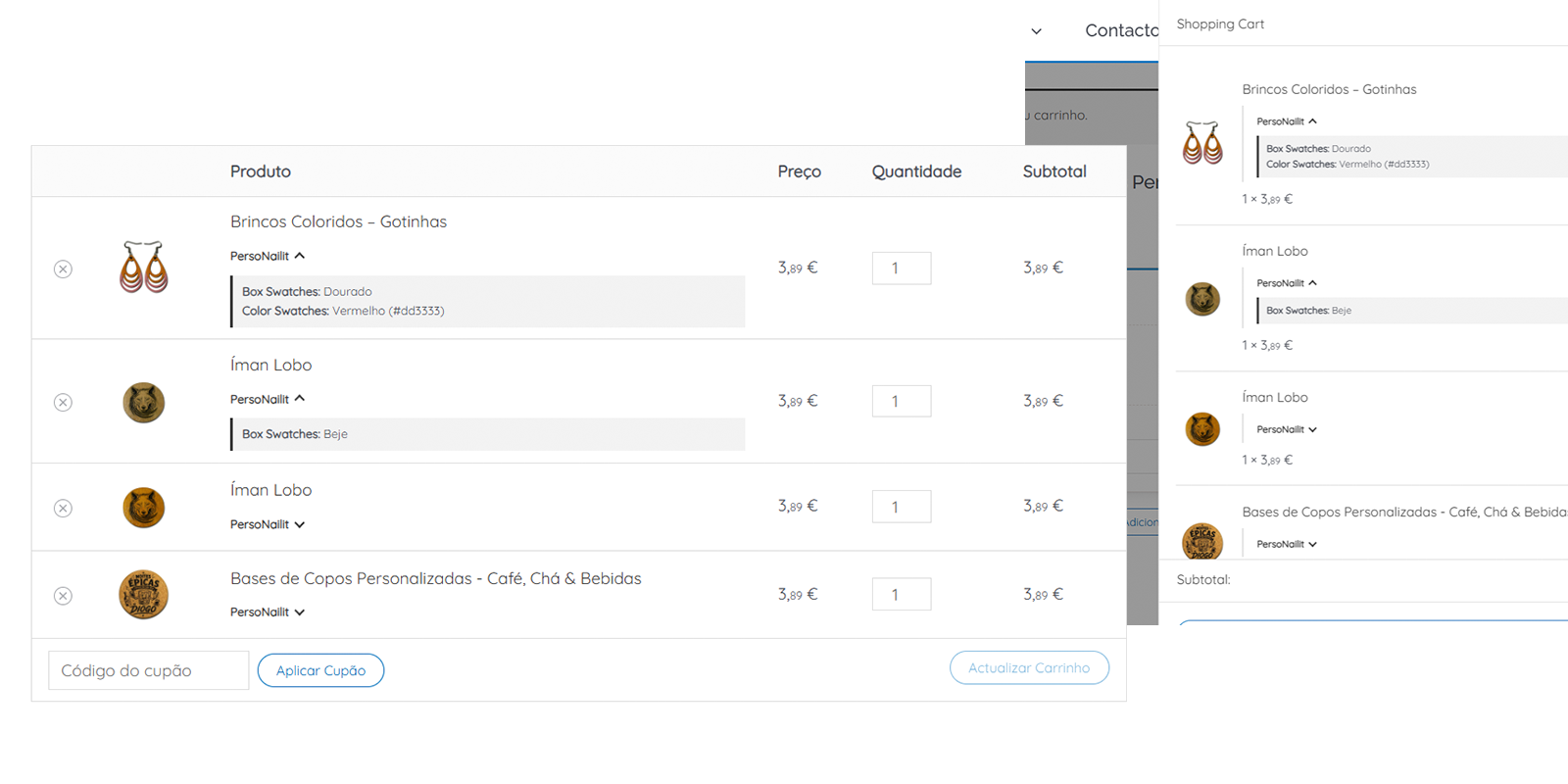
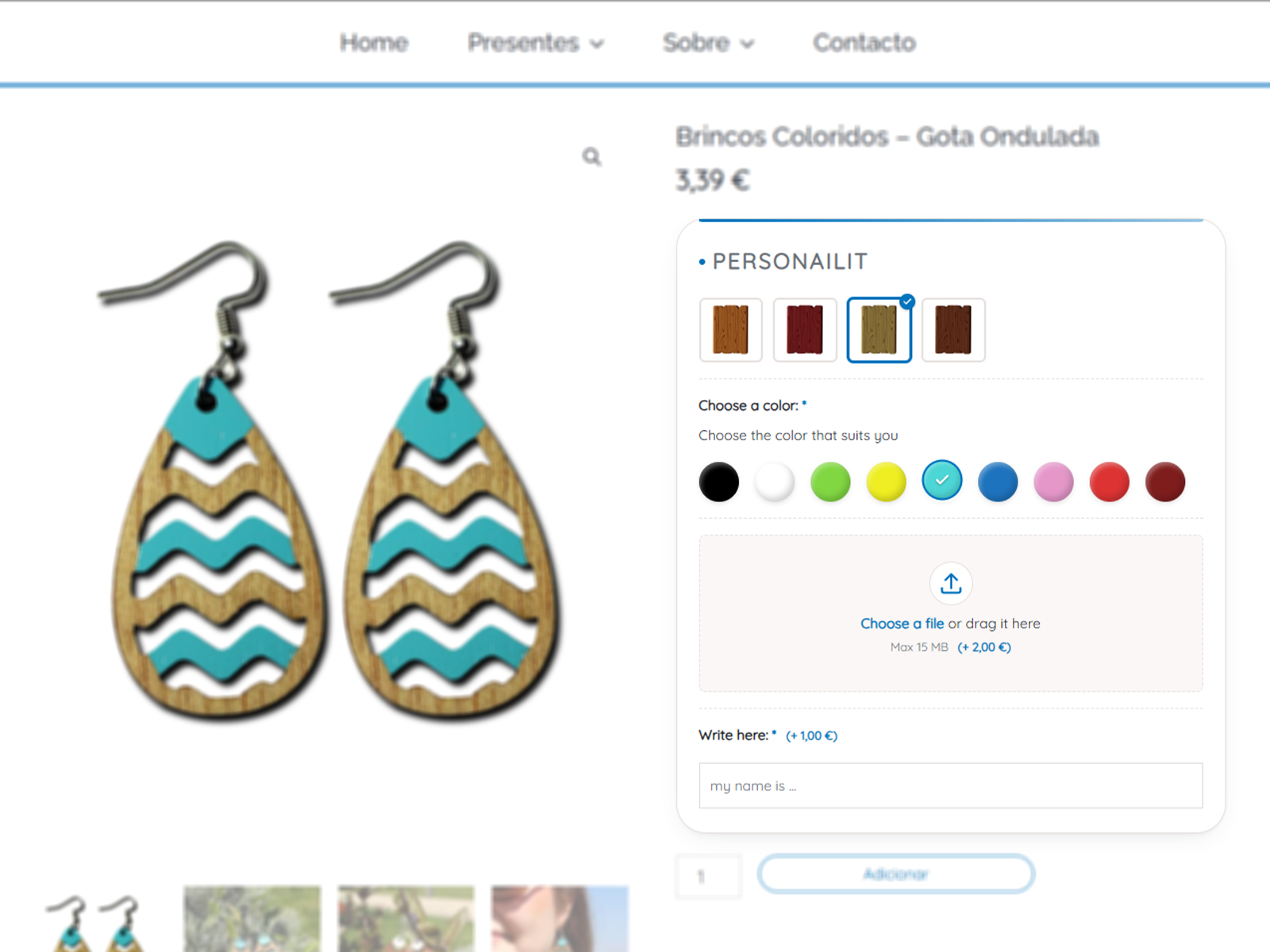
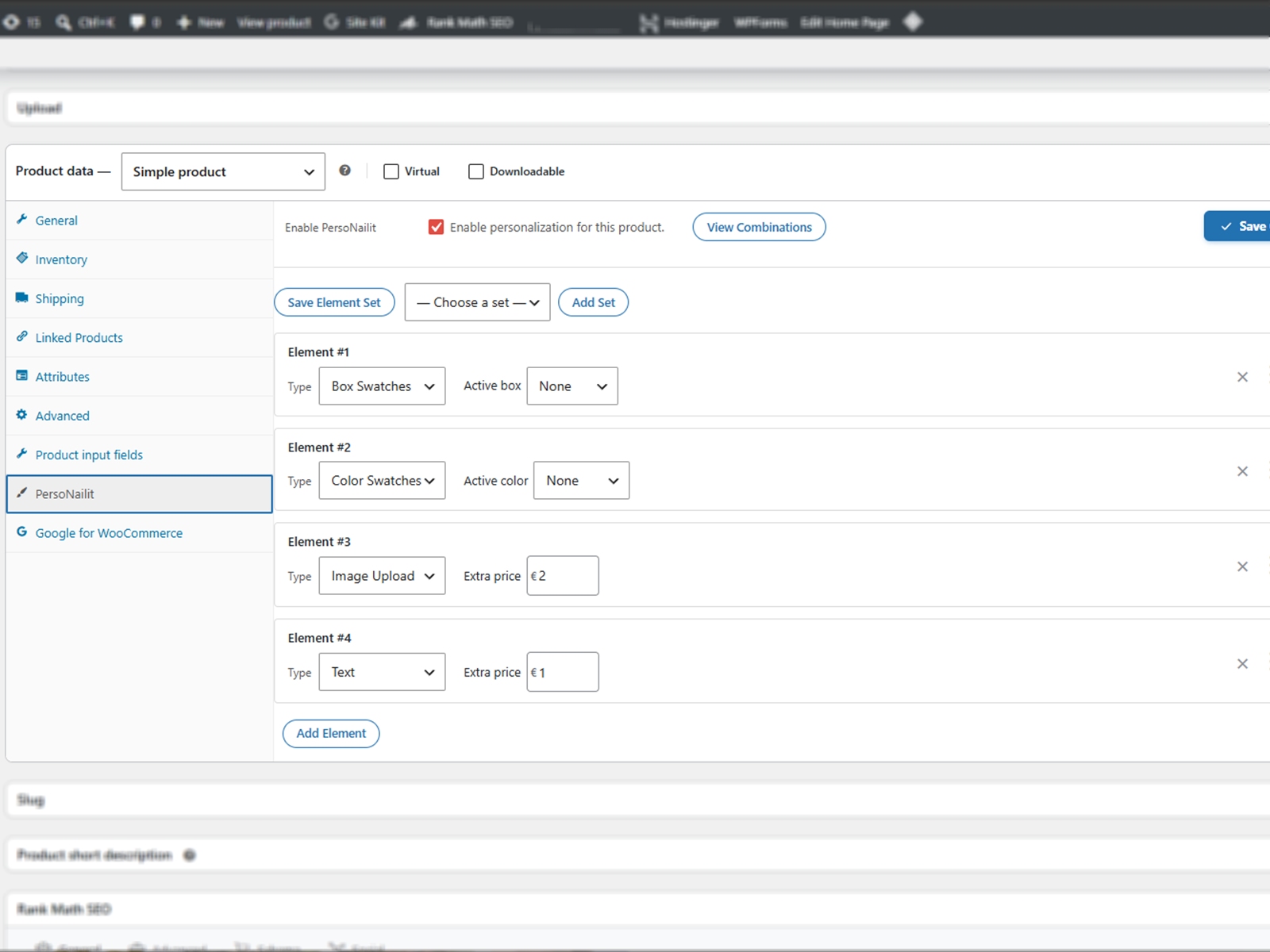
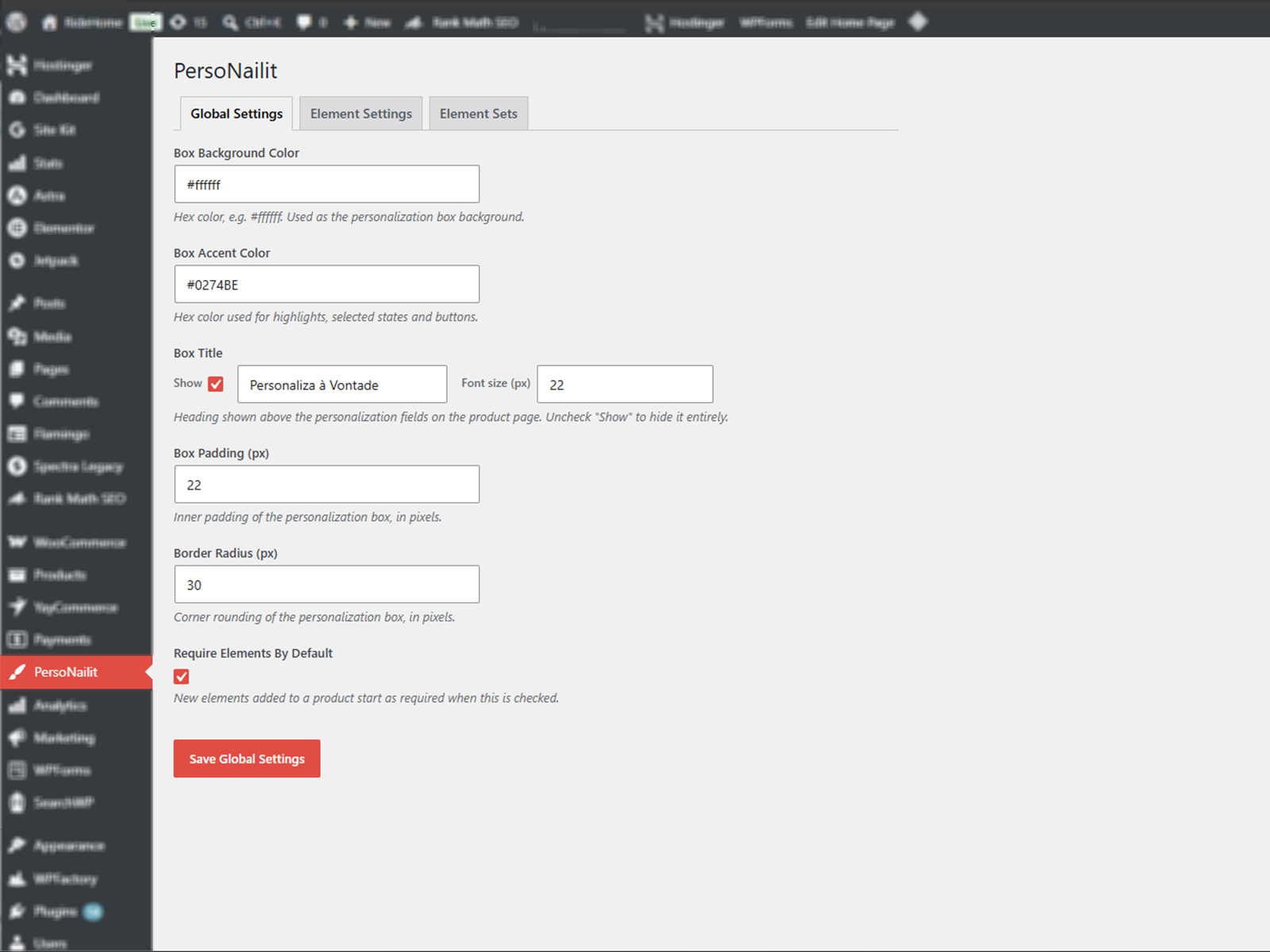
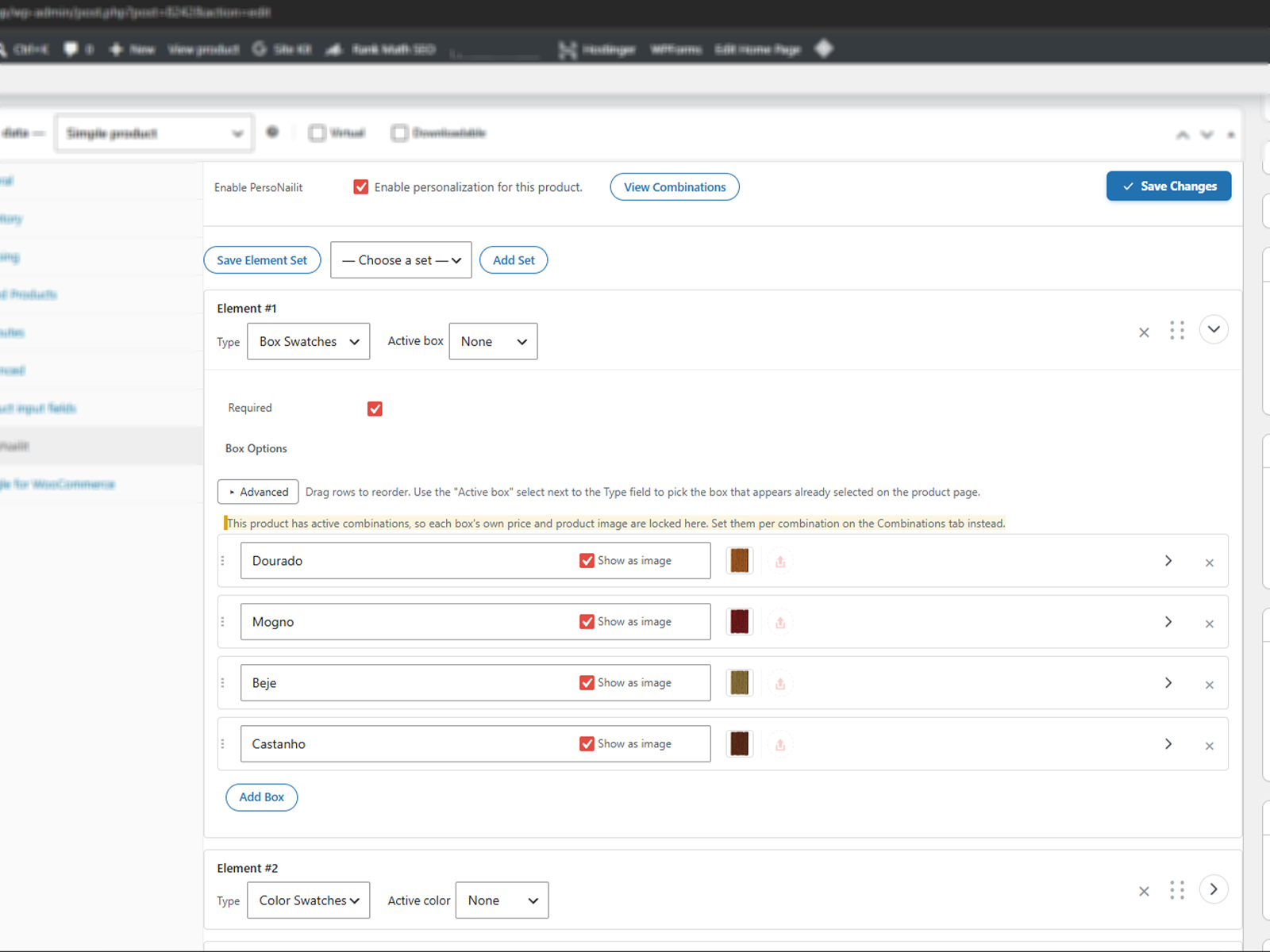
Six ways to let customers make it theirs
All of this ships in the free version — nothing here is a locked or crippled preview.
Text
A free-text field with a character limit, allowed-character rules and text transforms — for names, initials, engravings.
Image Upload
Let customers upload their own photo or artwork, with file type and size limits you control.
Color Swatches
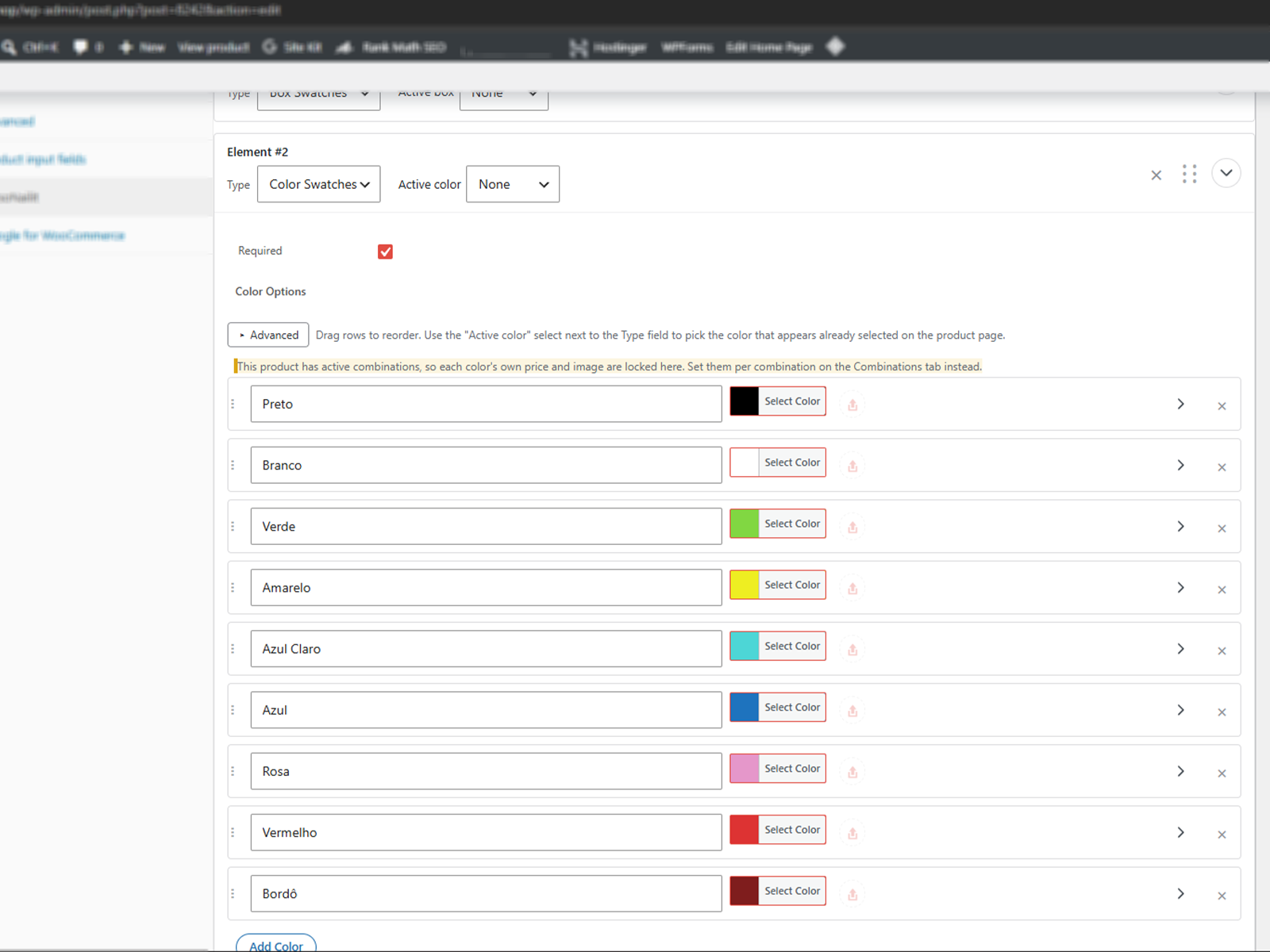
Clickable colors, each with its own optional price, image, and stock status.
Box Swatches
Text or image options in a box layout — same per-value pricing and stock as colors.
Combinations
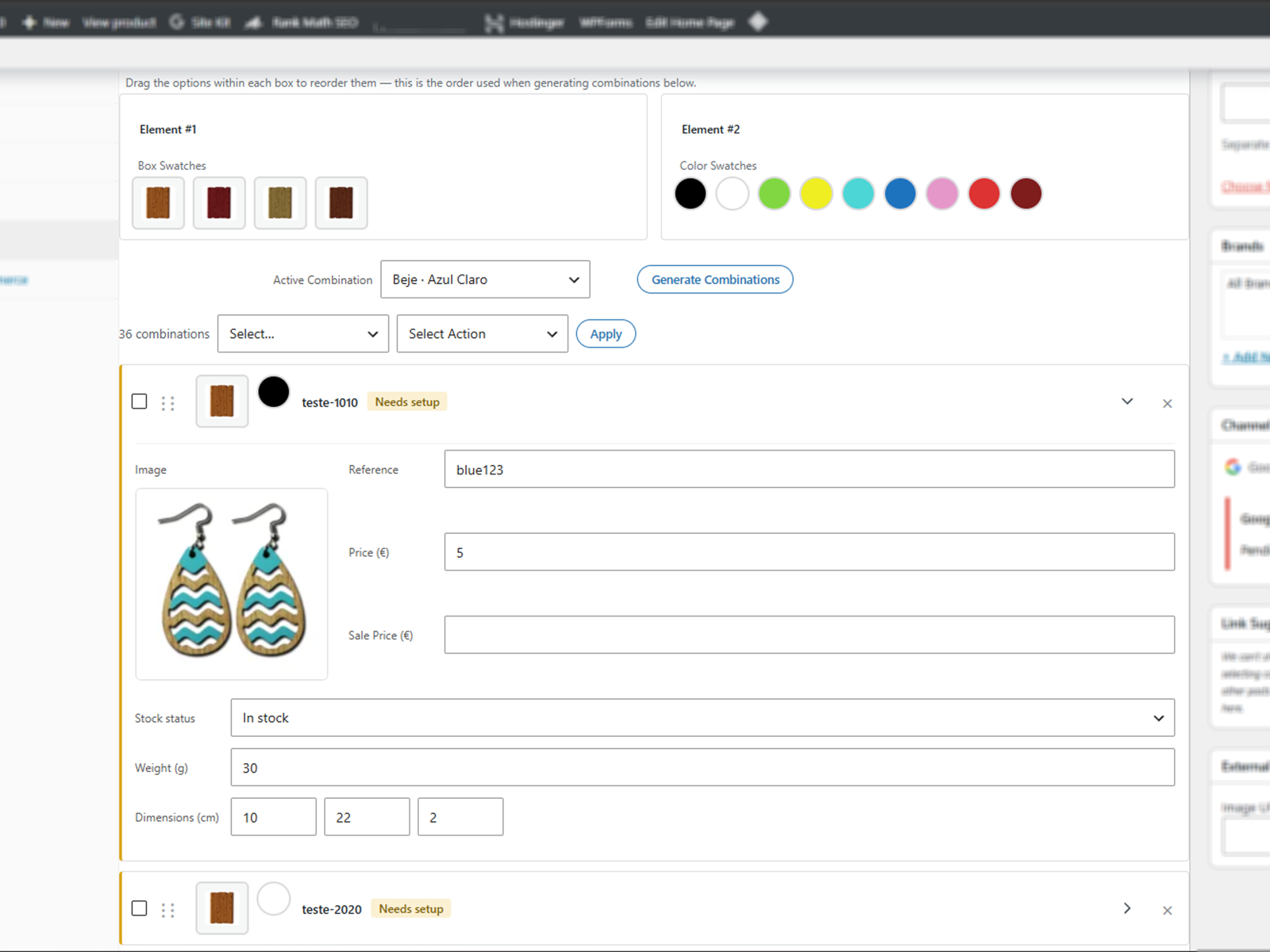
Auto-generate every color × box pairing, each with its own price, stock, image and shipping data.
Element Sets
Save a configuration once, apply it to any other product in one click.
Free to install. Free to keep.
No trial, no locked features, no credit card. Install it on your WooCommerce store in a couple of minutes.
Frequently asked
Yes — the PersoNailit tab and every personalization element (Text, Image, Color, Box) work on both simple and variable products. Combinations specifically are only available on simple products, since WooCommerce's own variations already handle per-variation price, stock and image.
Yes. Everything on this page ships in the free plugin, unlocked. A separate premium add-on may be released later with new capabilities — never by taking away something that's already free today.
Yes. Each color, box, or auto-generated combination can override the base price, add a sale price, and set its own stock status, weight and dimensions.
Files are validated and held temporarily until the order is placed, then moved to a protected folder and linked on the order for you to download and fulfill.
No — everything is configured from the product editor and two settings screens. Developers can extend it further with the documented hooks and filters.
A Premium version is on the way
Conditional logic, live image previews, new field types and more — never by taking anything away from the free version. Leave your email and be first to know.
No spam — just a message when Premium ships.